Determining the ESXi installation Type
To determine the type of ESXi installation:
1. Connect to the host via SSH.
2. Run this command:
# esxcfg-info -e
You see an output similar to:
boot type: visor-thin
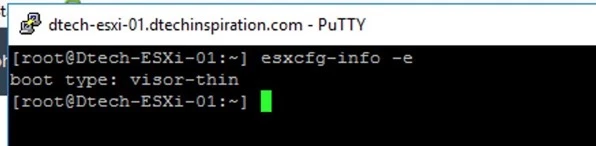
You can determine the ESXi type based on the output of this command.
For example:
o visor-thin indicates an installable deployment
o visor-usb indicates an embedded deployment
o visor-pxe indicates a PXE deployment
Alternatively, you can use the information from the bootbank UUID to determine the ESXi installation type.
To determine the ESXi installation type from the bootbank UUID information:
1. Connect to the host via SSH.
2. Run one of these commands to get the UUID of the current bootbank:
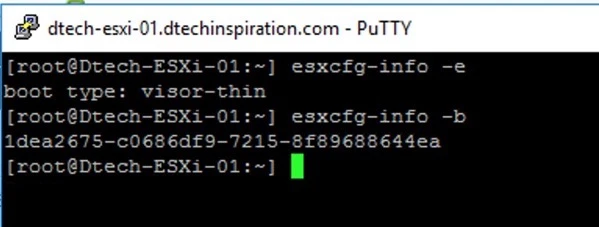
# esxcfg-info -b
You see an output similar to:
1dea2675-c0686df9-7215-8f89688644ea
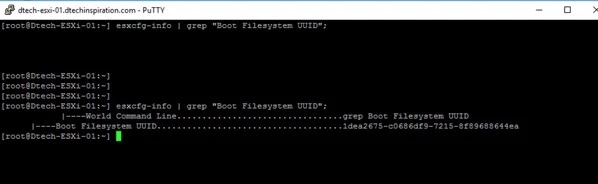
# esxcfg-info | grep “Boot Filesystem UUID”;
You see an output similar to:
|—-World Command Line……………………………grep Boot Filesystem UUID
|—-Boot Filesystem UUID……………………………….1dea2675-c0686df9-7215-8f89688644ea
3. Examine the 7th character in the UUID returned by these commands
o If the character is e, it is an Embedded deployment.
o If the character is anything but e, it is an Installable deployment.
o If there is no UUID and the character is empty, it is a PXE deployment.