Today i am working on VMware Virtual Machine and they are also simultaneous access by some other users.
Now i don’t want to share the Console Connection to Other Users like i want to limited the number 5 or 10 Users.
How to Limit then:
1. Login into vSphere Environment
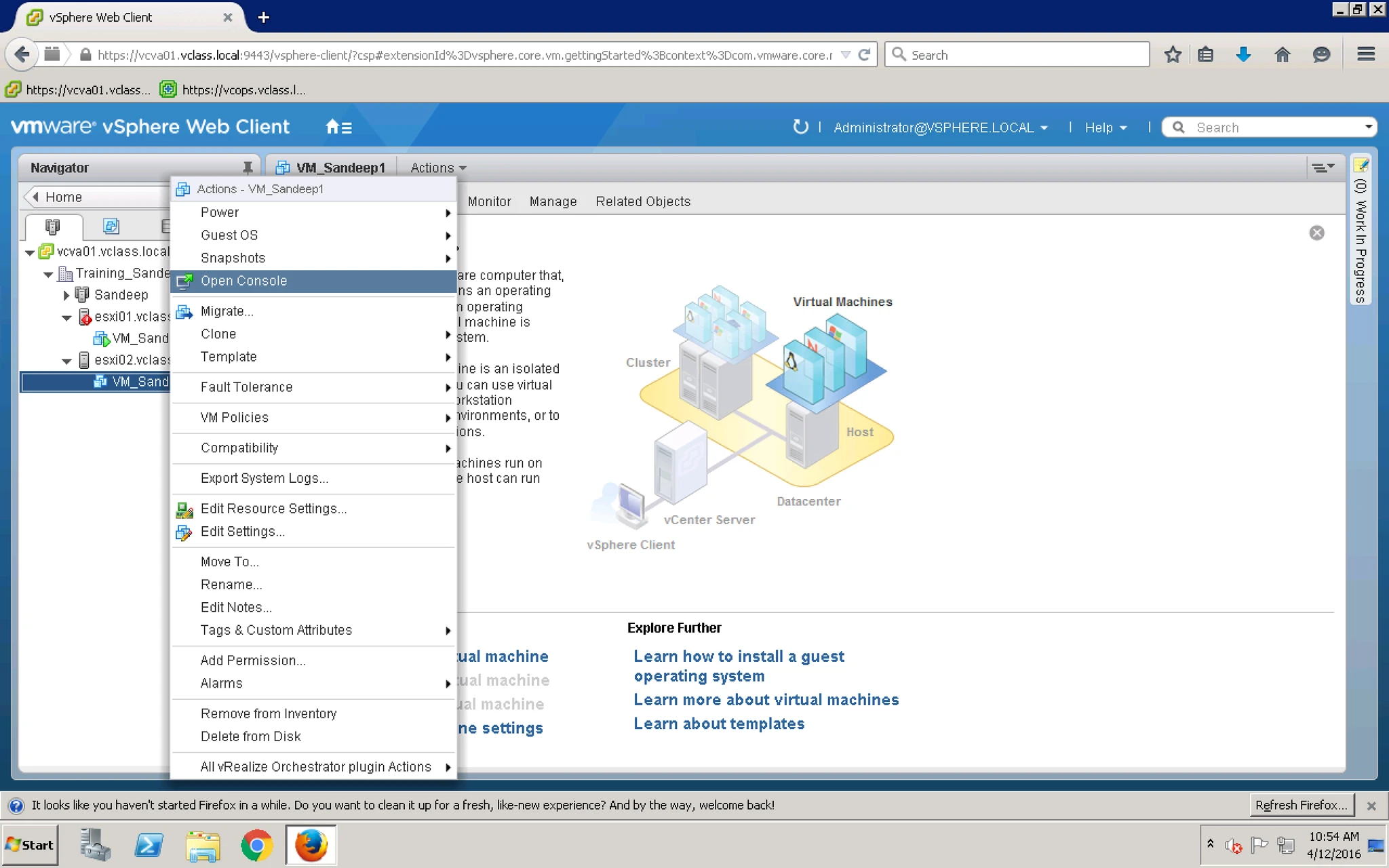
2. When i right click on VM > Open Console
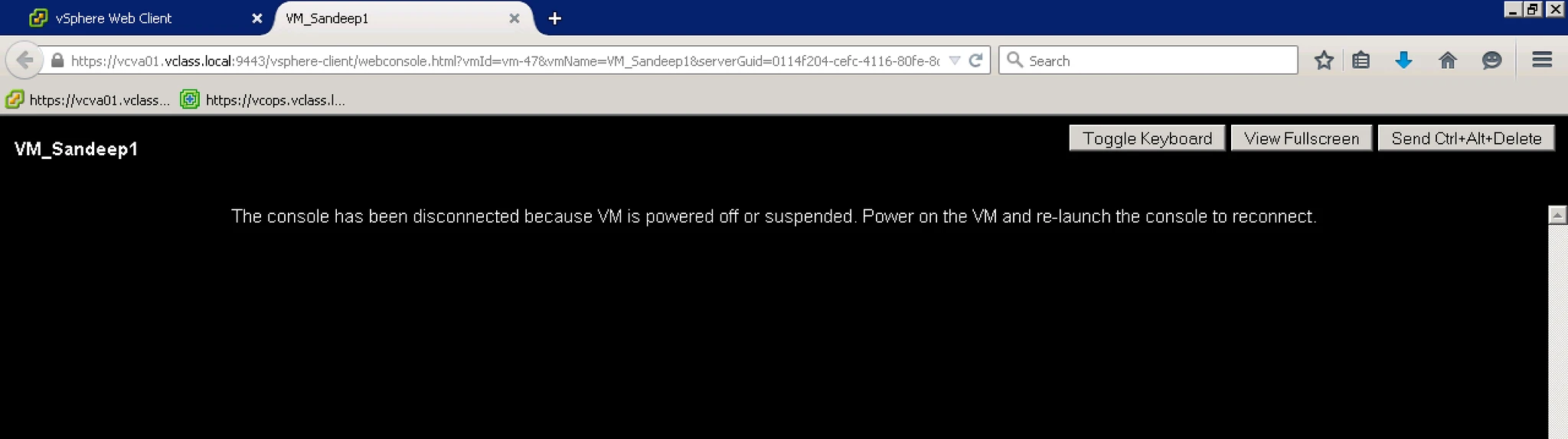
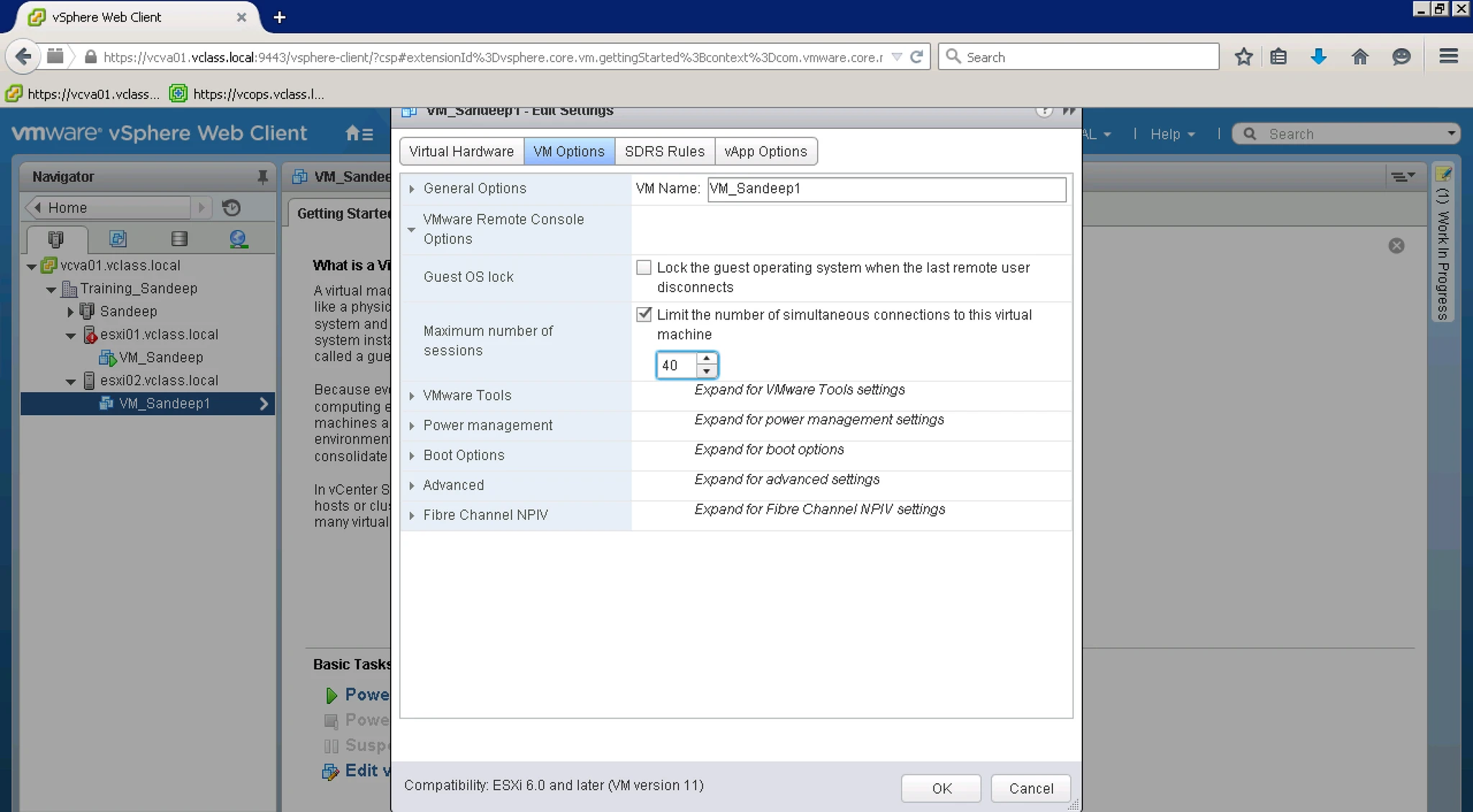
3. Go To VM Edit Setting > VM Options > VMware Remote Console Options > Maximum Number of Session.
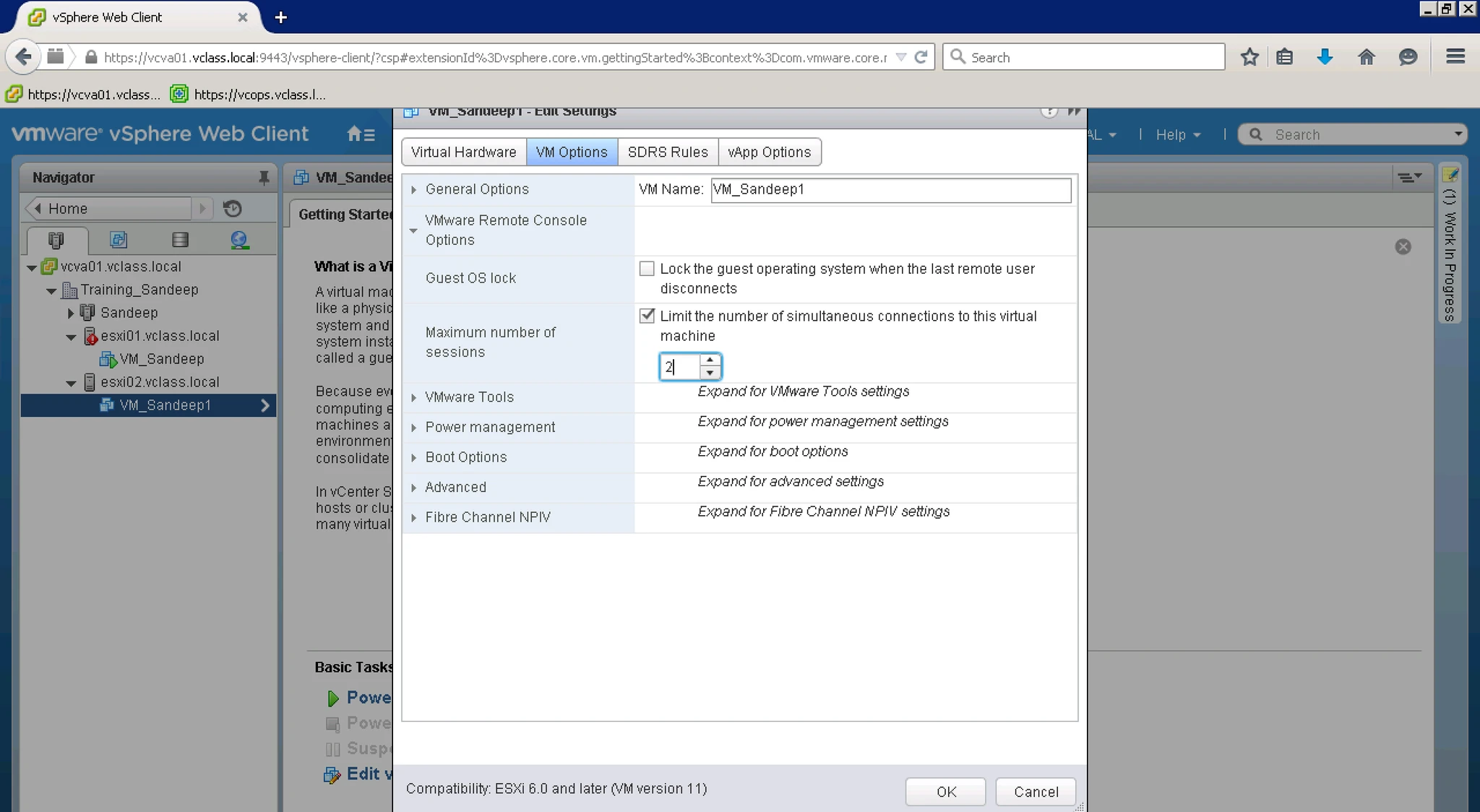
4. I limit here 2.
5. Now When you Cross the limit it will give you warnning and not allow to access the same.


