Update Manager Process
The Update Manager process begins by downloading information (metadata) about a set of patches, extensions, and virtual appliance upgrades. One or more of these patches or extensions are aggregated to form a baseline. You can add multiple baselines to a baseline group.
A baseline group is a composite object that consists of a set of non-conflicting baselines.
You can use baseline groups to combine different types of baselines, and scan and remediate an inventory object against all of them as a whole.
** If a baseline group contains both upgrade and patch or extension baselines, the upgrade runs first. A collection of virtual machines, virtual appliances, and ESXi hosts or individual inventory objects can be scanned for compliance with a baseline or a baseline group and later remediated. You can initiate these processes manually or through scheduled tasks.
- Configuring the Update Manager Download Source
- Downloading Updates and Related Metadata
- Importing ESXi Images
- Creating Baselines and Baseline Groups
- Attaching Baselines and Baseline Groups to vSphere Objects
- Scanning Selected vSphere Objects
- Reviewing Scan Results
- Staging Patches and Extensions to Hosts
- Remediating Selected vSphere Objects
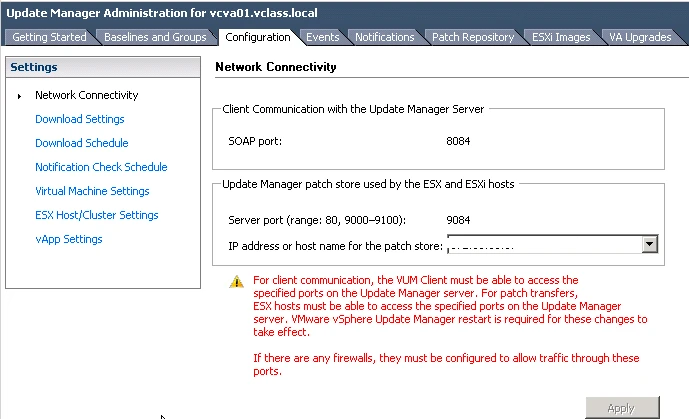
1. Configuring the Update Manager Download Source
- You can download the patch from Internet or from a shared repository.
- You can also import patches and extensions manually from a ZIP file.
- If your deployment system is connected to the Internet, you can use the default settings and links for downloading upgrades, patches, and extensions to the Update Manager repository.
- Third-party patches and extensions are applicable only to hosts that are running ESXi 5.0 and later.
- If you’r desktop is not connected with internet then you can use Update Manager Download Service (UMDS)
NOTE: You can use offline bundles for host patching operations only. You cannot use third-party offline bundles or offline bundles that you generated from custom VIB sets for host upgrade from ESXi 5.x to ESXi 6.0.
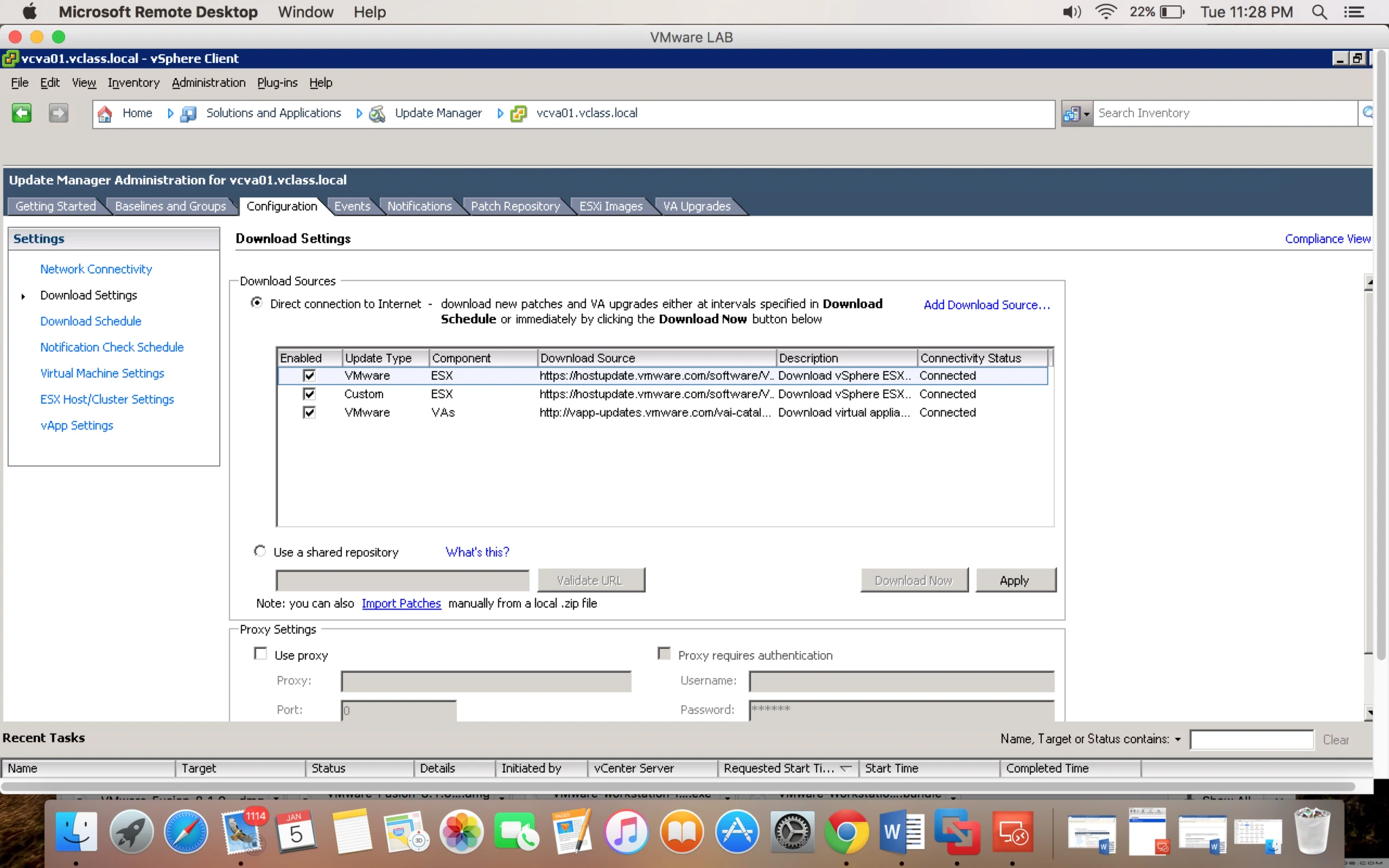


2. Downloading Updates and Related Metadata
- Downloading virtual appliance upgrades, host patches, extensions, and related metadata is a predefined automatic process that you can modify.
- By default, at regular configurable intervals, Update Manager contacts VMware or third-party sources to gather the latest information (metadata) about available upgrades, patches, or extensions.
- VMware provides information about patches for ESXi hosts and virtual appliance upgrades.
Update Manager downloads the following types of information:
- Metadata about all ESXi 5.x patches regardless of whether you have hosts of such versions in your environment.
- Metadata about ESXi 5.x patches as well as about extensions from third-party vendor URL addresses.
- Notifications, alerts, and patch recalls for ESXi 5.x hosts.
- Metadata about upgrades for virtual appliances.
Downloading information about all updates is a relatively low-cost operation in terms of disk space and network bandwidth. The availability of regularly updated metadata lets you add scanning tasks for hosts or appliances at any time.
- Importing ESXi Images
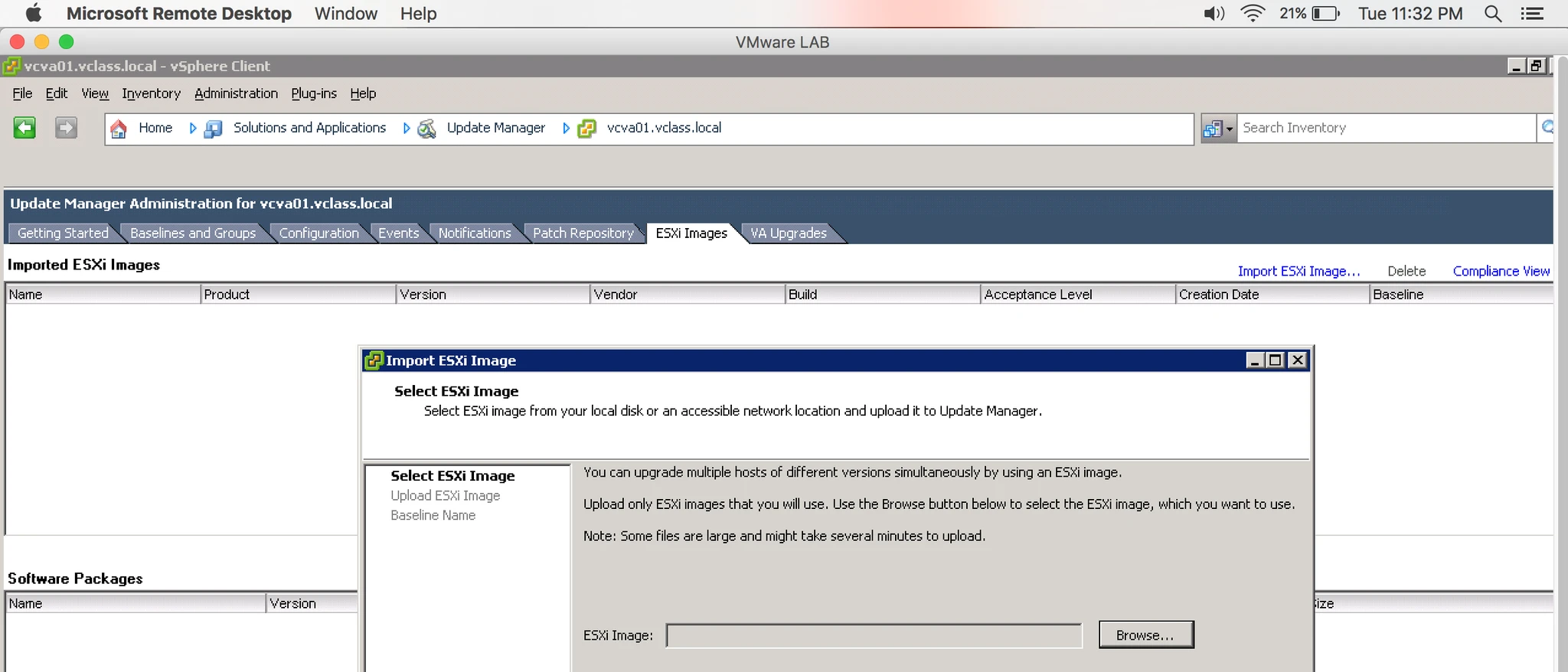
You can upgrade the hosts in your environment to ESXi 6.0 by using host upgrade baselines. To create a host upgrade baseline, you must first upload at least one ESXi 6.0 .iso image to the Update Manager repository.
With Update Manager 6.0 you can upgrade hosts that are running ESXi 5.x to ESXi 6.0. Host upgrades to ESXi 5.0, ESXi 5.1 or ESXi 5.5 are not supported.
Before uploading ESXi images, obtain the image files from the VMware Web site or another source. You can create custom ESXi images that contain third-party VIBs by using vSphere ESXi Image Builder.. You can upload and manage ESXi images from the ESXi Images tab of the Update Manager Administration view.
ESXi images that you import are kept in the Update Manager repository. You can include ESXi images in host upgrade baselines. To delete an ESXi image from the Update Manager repository, first you must delete the upgrade baseline that contains it. After you delete the baseline, you can delete the image from the ESXi Images tab.
- Staging Patches and Extensions to Hosts
You can stage patches and extensions before remediation to ensure that the patches and extensions are downloaded to the host. Staging patches and extensions is an optional step that can reduce the time during which hosts are in maintenance mode.
Staging patches and extensions to hosts that are running ESXi 5.0 or later lets you download the patches and extensions from the Update Manager server to the ESXi hosts without applying the patches or extensions immediately. Staging patches and extensions speeds up the remediation process because the patches and extensions are already available locally on the hosts.
IMPORTANT Update Manager can stage patches to PXE booted ESXi hosts.
- Remediating Hosts
Update Manager 6.0 supports upgrade from ESXi 5.x to ESXi 6.0. Host upgrades to ESXi 5.0, ESXi 5.1 or ESXi 5.5 are not supported.
IMPORTANT: You can patch PXE booted ESXi hosts if you enable the setting from the ESX Host/Cluster Settings page of the Configuration tab or from the Remediate wizard.
After you upload ESXi images, upgrades for ESXi hosts are managed through baselines and baseline groups. Typically hosts are put into maintenance mode before remediation if the update requires it. Virtual machines cannot run when a host is in maintenance mode. To ensure a consistent user experience, vCenter Server migrates the virtual machines to other hosts within a cluster before the host is put in maintenance mode. vCenter Server can migrate the virtual machines if the cluster is configured for vMotion and if VMware Distributed Resource Scheduler (DRS) and VMware Enhanced vMotion Compatibility (EVC) are enabled. EVC is not a prerequisite for vMotion. EVC guarantees that the CPUs of the hosts are compatible. For other containers or individual hosts that are not in a cluster, migration with vMotion cannot be performed.
IMPORTANT:
After you have upgraded your host to ESXi 6.0, you cannot roll back to your version ESXi 5.x software. Back up your host configuration before performing an upgrade. If the upgrade fails, you can reinstall the ESXi 5.x software that you upgraded from, and restore your host configuration. Remediation of ESXi 5.0, 5.1 and 5.5 hosts to their respective ESXi update releases is a patching process, while the remediation of ESXi hosts from version 5.x to 6.0 is an upgrade process.
- Remediating Virtual Machines and Virtual Appliances
You can upgrade virtual appliances, VMware Tools, and the virtual hardware of virtual machines to a later version. Upgrades for virtual machines are managed through the Update Manager default virtual machine upgrade baselines. Upgrades for virtual appliances can be managed through both the Update Manager default virtual appliance baselines and custom virtual appliance upgrade baselines that you create.
NOTE Update Manager 6.0 does not support virtual machines patch baselines.

