 by
by Guest OS & Workloads
Virtual Hardware Version 20
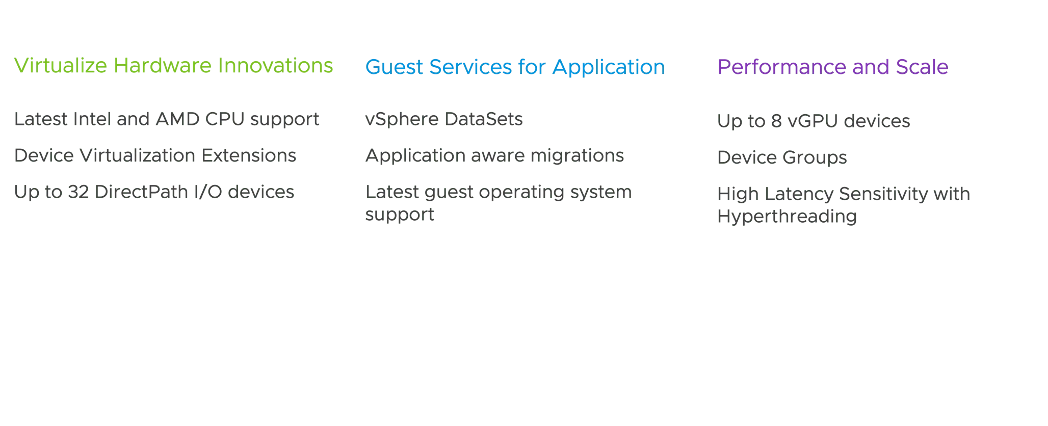
Virtual Hardware version 20 is the latest virtual hardware version. The theme for hardware version 20 brings new virtual hardware innovations, enhances guest services for applications, and increases performance and scale for
Deploy Windows 11 at Scale
Introducing TPM Provision Policy. Windows 11 requires vTPM devices to be present in virtual machines. Cloning a VM with a vTPM VM can introduce a security risk as TPM secrets are cloned.
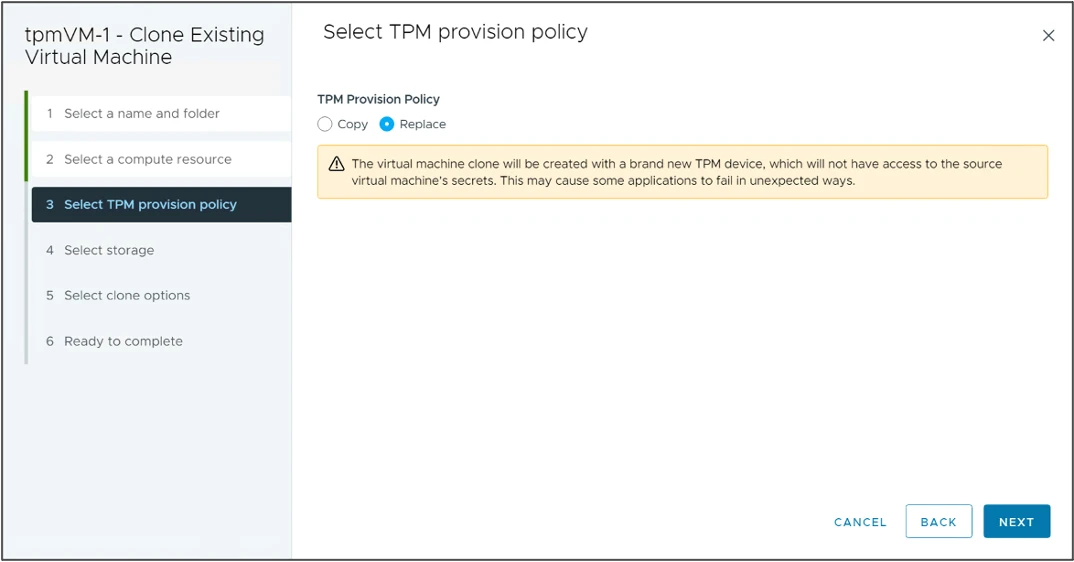
In vSphere 8 vTPM devices can be automatically replaced during clone or deployment operations. This allows best practices that each VM contain a unique TPM device be followed and improves vSphere 8 support for Windows 11 deployment at scale. vSphere
- also includes the vpxd.clone.tpmProvisionPolicy advanced setting to make the default clone behaviour for vTPMs to be replace.
Note: The TPM provision policy is used for any virtual machines that contain a virtual TPM device. It is not exclusively for Windows 11 VMs.
Reduce Outages by Preparing Applications for Migration
Certain applications cannot tolerate the stuns associated with vSphere vMotion. These applications can be written to be migration aware to improve their interoperability with vSphere vMotion. Applications can prepare for a migration event. This could be gracefully stopping services or performing a failover in the case of a clustered application. The application can delay the start of the migration up until the configured timeout but cannot decline or prevent the migration from occurring.
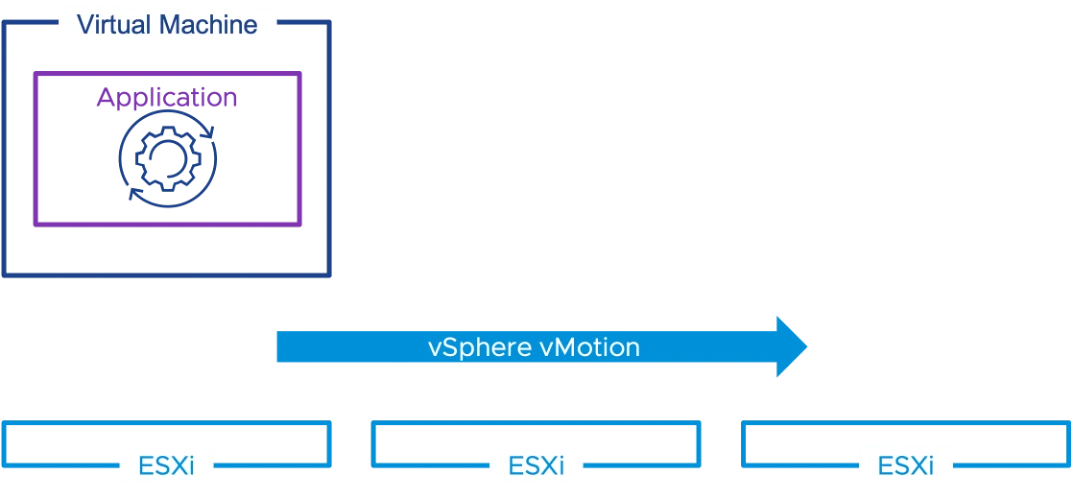
Use-cases include:
 Time-sensitive applications VoIP applications Clustered applications
Maximize Performance for Latency Sensitive Workloads
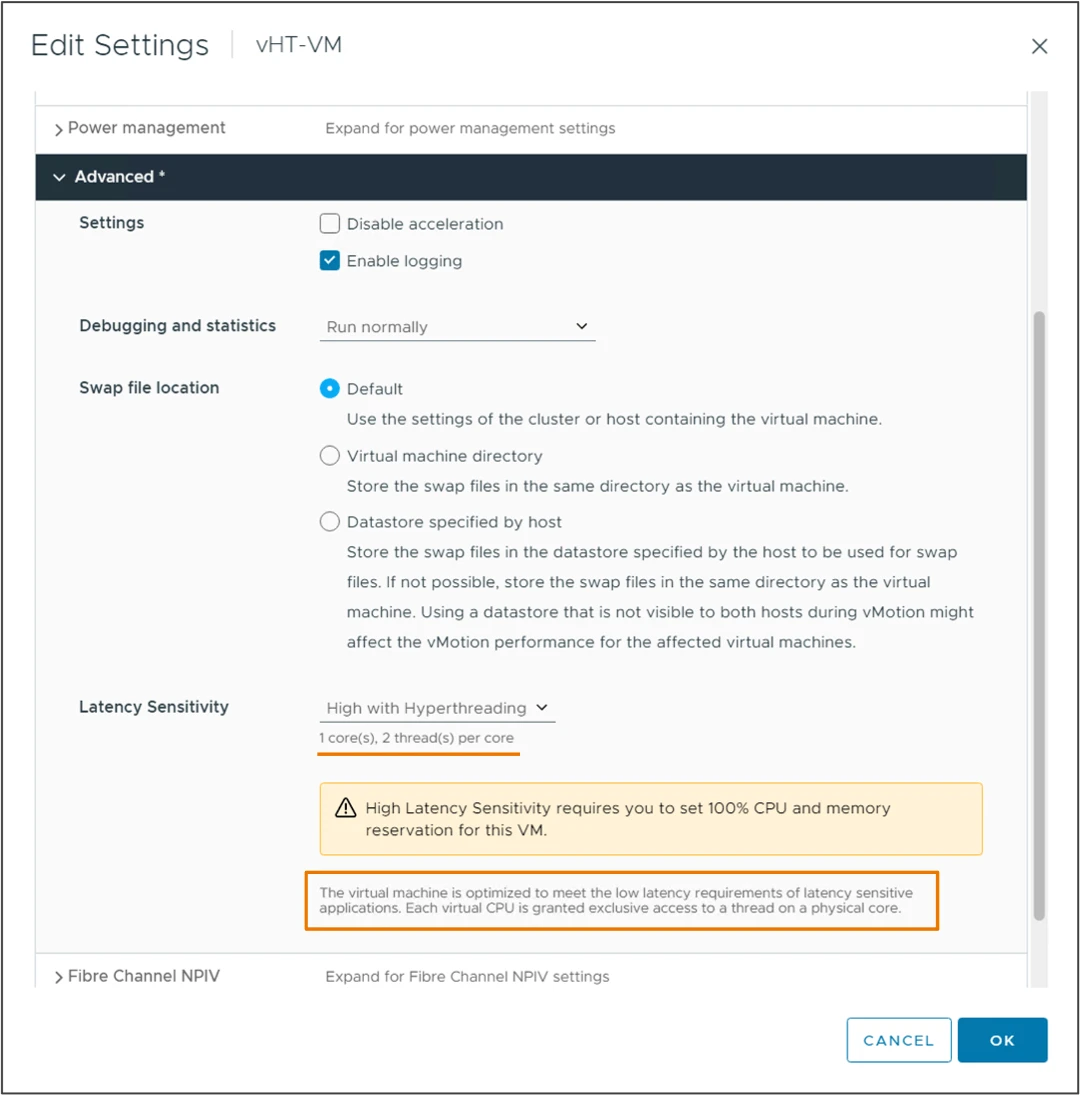
Emerging Telco workloads require increased support for latency sensitivity applications. High Latency Sensitivity with Hyper- threading is designed to support these workloads and deliver improved performance. A virtual machine’s vCPU are scheduled on the same hyper-threaded physical CPU core
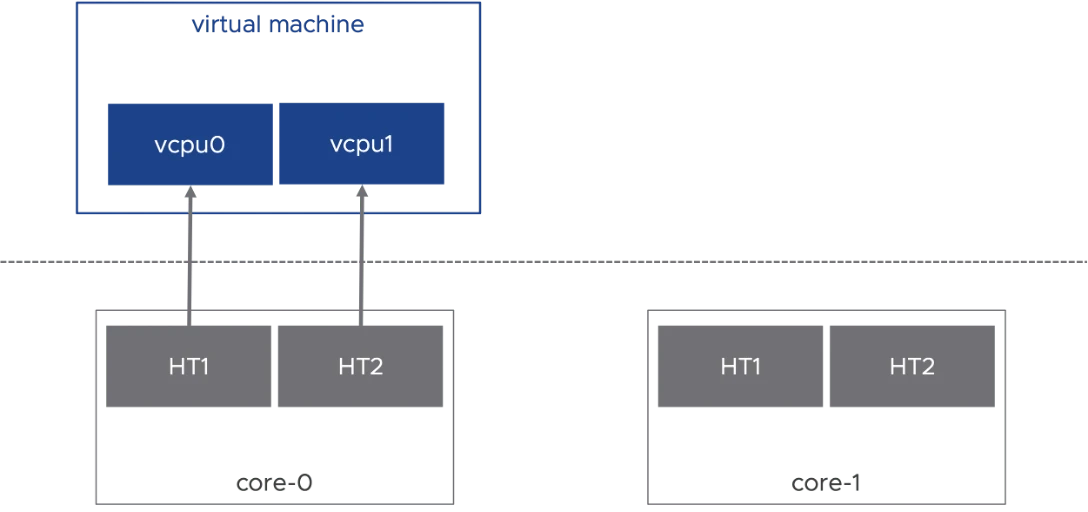
High Latency Sensitivity with Hyper-threading requires virtual machine hardware version 20 and is configurable in the Advanced settings for a virtual machine.
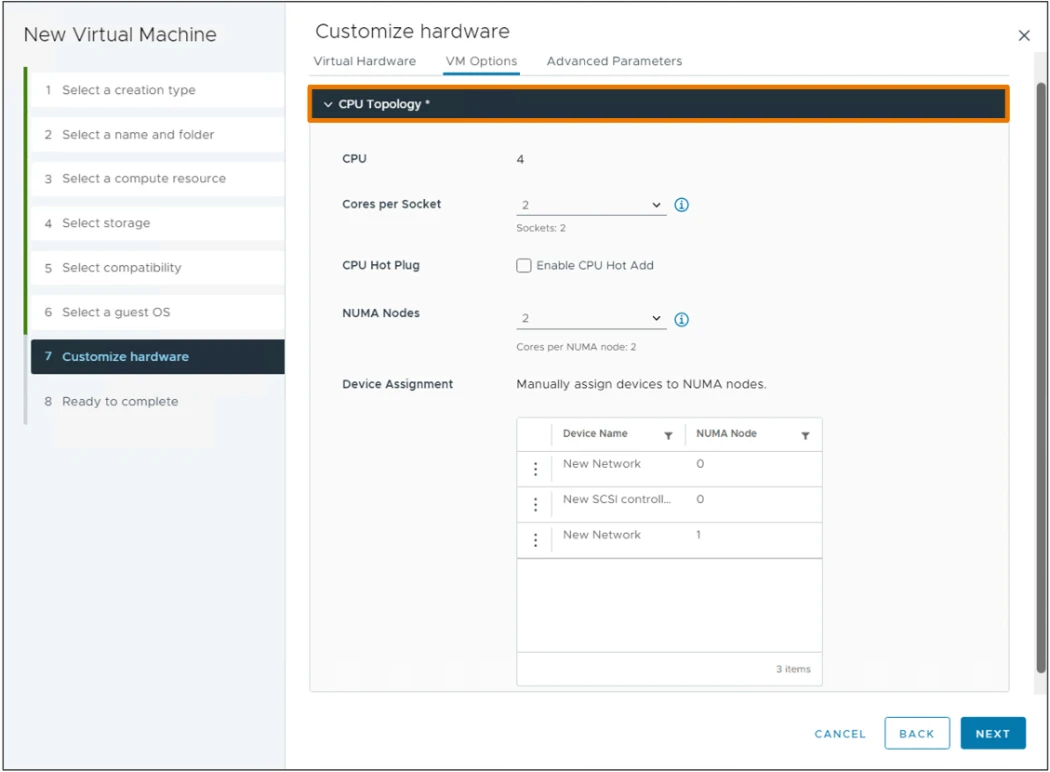
Simplified Virtual NUMA Configuration
vSphere 8 and hardware version 20 allows you to use the vSphere Client to configure the vNUMA topology for virtual machines.
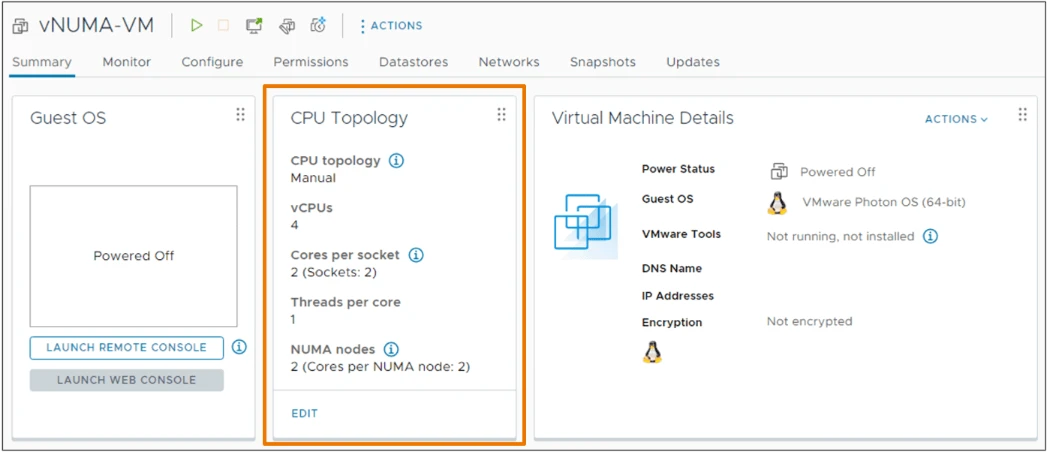
A new CPU topology tile is visible on the VM summary tab displaying the current topology.
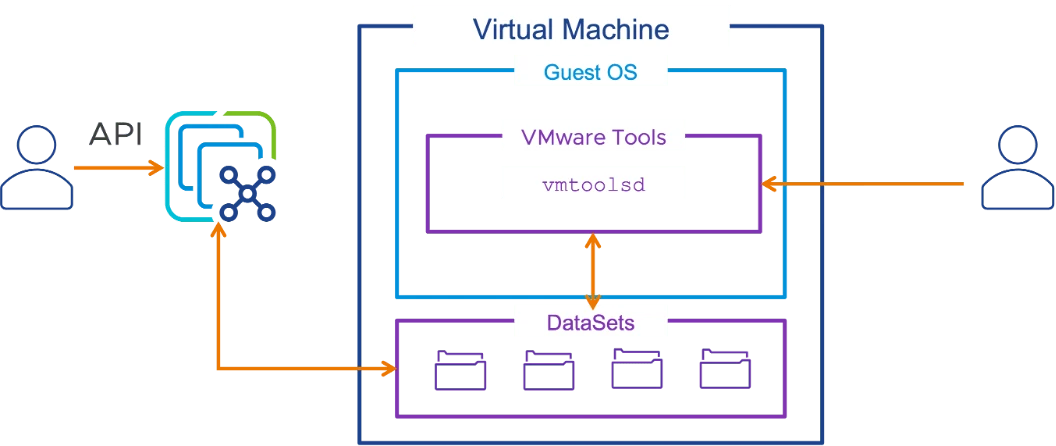
API Driven vSphere and Guest Data Sharing
vSphere DataSets provide an easy method distribute small, infrequently changing data between the vSphere management layer and a guest operating system running in a virtual machine with VMware Tools installed. Uses cases may include Guest deployment status, Guest agent configuration or Guest inventory management. vSphere DataSets live with the VM object, and will move with the VM if migrated, even across vCenter Server instances.
Credit: VMware.com
Leave a Reply