0

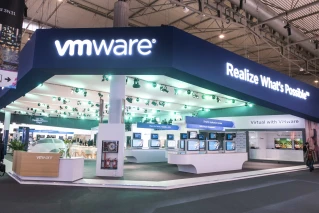
VMWARE@MWC2018 – Showcasing NFV Without Limits
VMWARE@MWC2018 – Showcasing NFV Without Limits

VMWARE@MWC2018 – Showcasing NFV Without Limits

Communications Service Providers (CSPs) today realize the need to transform their business models and build essential digital capabilities that accelerate their path to 5G networks. The challenge, however, lies in abandoning incremental initiatives in favor of transformational innovation – innovation that requires them to focus more on agility and continuous learning rather than on traditional […] The post VMWARE@MWC2018 – Showcasing NFV Without Limits appeared first on VMware Telco NFV Blog .


VMware Social Media Advocacy
0

Join VMware & AWS execs online as they discuss…

Join VMware & AWS execs online as they discuss milestones in VMware Cloud strategy

Join VMware & AWS execs online as they discuss…

Tune in on March 7 to hear from VMware and AWS Executives on the next important milestone in the VMware Cloud strategy. We’ll be sharing essential updates, demos and partner program news.


VMware Social Media Advocacy

0

Introducing VMware NSX-T Reference Design

Introducing VMware NSX-T Reference Design

Introducing VMware NSX-T Reference Design

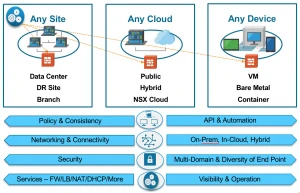
Available now is the VMware NSX-T Reference Design Guide, a deployment path to adopting NSX with diverse multi-domain workload requirements – multi-cloud (private/public), multi-hypervisor, and multiple application frameworks (VMs, PaaS and containers). Since VMware acquired Nicira almost five years ago, NSX for vSphere has become de-facto standard for private cloud solutions, delivering key use The post Introducing VMware NSX-T Reference Design appeared first on Network Virtualization .


VMware Social Media Advocacy

0

VMware vSAN

Outline

1  Introduction to vSAN
•  Describe basic vSAN architecture and components
•  Describe the differences between file, block, and object storage
•  Explain the advantages of object-based storage
•  Detail the configuration of a vSAN cluster
•  Install and validate the initial vSAN installation and configuration

2  vSAN Configuration
•  Apply vSAN design considerations
•  Detail the expansion of a vSAN cluster
•  Configure vSAN disk groups manually 
•  Identify physical network configuration requirements
•  Describe the configuration of vSAN networking
•  Test and validate the vSAN configuration and functionality
•  Describe the vSAN architecture and components
•  Describe the differences between the vSAN hybrid and all-flash architectures
•  Describe the advantages of all-flash architecture
•  Describe the space-efficiency features of vSAN
•  Describe the different vSAN assessment tools
•  Explain vSAN License Details

3  vSAN Policies and Virtual Machines
•  Explain how storage policies work with vSAN
•  Define and create a virtual machine storage policy
•  Apply and modify virtual machine storage policies 
•  Change virtual machine storage policies dynamically 
•  Identify virtual machine storage policy compliance status

4  Managing and Operating vSAN
•  Explain how to configure encryption in the vSAN cluster
•  Explain the management of hardware storage devices
•  Identify alarms for vSAN events
•  Describe and configure fault domains
•  Describe the configuration of the vSAN iSCSI service, iSCSI targets, and LUNS


5  Monitoring and Troubleshooting vSAN
•  Discuss hardware failure scenarios
•  Describe the process of resynchronization
•  Explain the possible reasons for resynchronization
•  Describe the use of vSphere Client to detect issues
•  Explain the use of the health service to monitor vSAN health
•  Explain the use of the performance service to monitor vSAN performance.
•  Monitor and test the vSAN environment