0

VMware Cloud Service Sessions at VMworld Barcelona
VMware Cloud Service Sessions at VMworld Barcelona

VMware Cloud Service Sessions at VMworld Barcelona

With VMworld Barcelona just around the corner (November 5th through 8th) we thought we’d take a moment to look at the exciting sessions available for attendees. We’re staging more than two dozen discussions focused on VMware Cloud Services during the conference. VMware Cloud offerings are all delivered as SaaS and address a range of concerns The post VMware Cloud Service Sessions at VMworld Barcelona appeared first on VMware Cloud Community .

VMware Social Media Advocacy
0

Fully Featured vSphere Client in vSphere 6.7…

Fully Featured vSphere Client in vSphere 6.7…

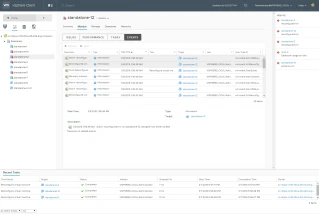
We’re pleased to announce that the vSphere Client is now ‘Fully Featured’ in vSphere 6.7 Update 1. This means that you can manage all aspects of your vSphere environment using the HTML5-based vSphere Client, no need to switch back and forth between the vSphere Client and the vSphere Web Client. We’ve ported all remaining features


VMware Social Media Advocacy
0

New Vembu BDR Suite v4.0

New Features:

  • Hyper-V cluster backup: Vembu support backing up the VMs in the cluster and even if VMs configured for backup are moved from one host to another, the incremental backup will continue to happen without any interruption.
  • Shared VHDx backup: Vembu supports backup of the shared VHDx of Hyper-V.
  • CheckSum based incrementals: Vembu uses CBT for incremental backups. And for some CBT failure cases, we will be using CheckSum for the incremental to happen without any interruption.
  • Credential Manager: No need to enter credentials every time, Vembu Credential manager allows you to manage the credentials of the host and the VMs running in it.

Enhancement:

  • Where it was left off for Vembu ImageBackup: In Vembu ImagBackup, if the backup job gets interrupted due to network failure, it will resume from where it was left off.
  • Improved proxy functionality: All backup related requests are triggered by the BDR backup server, the proxy agent will only process the request sent by the BDR Server.
  • Virtual hardware selection: You can now configure the specification of the Virtual Hardware during the live recovery like the socket and core counts, memory, hard disk provision type, and network adapter.
  • Improved Hyper-V live recovery: During the recovery of the backed-up Hyper-V, a separate agent is pushed to the target machine for performing the full VM recovery.
  • Improved Application-aware for Hyper-V Backups: For all Hyper-V VMs, you can individually select the VM to which you want to enable Application Aware processing.
  • Abort Offsite Replication: You can now abort the replication job from the Vembu OffsiteDR server.
  • ODR Activation: You can now activate or deactivate a particular BDR server connected to an OffsiteDR server.
  • Quick VM Recovery report: You will get a report for Quick VM recovery process with details like VM Name, Recovery point, Start and End time, target hypervisor and the status of the recovery.
  • API’s to fetch storage details: The new set of APIs is designed to give a detailed report on storage utilization like the size of the VM, storage space utilized by a backup job, compression rate, etc.
  • VM disk inclusion: Previously, after the initial full backup, the newly added disk of the VM is backed up only on the next additional full backup. From v4.0, the newly added disk will be backed up along with the successive incremental.
0

New Release: PowerCLI 11.0.0

New Release: PowerCLI 11.0.0

New Release: PowerCLI 11.0.0

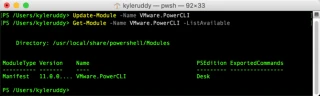
PowerCLI has been moving at quite the rapid pace over the last 2 years. In 2018, we’ve been releasing roughly every other month to make sure we get the latest features, performance improvements, and updates available as quickly as possible. Well, it’s been two months and we’re not going to break this trend. Today, we […] The post New Release: PowerCLI 11.0.0 appeared first on VMware PowerCLI Blog .
VMware Social Media Advocacy