Topic Outlines:
User Management
New User
User Password Management
In the organisation, we have to manage or control the user management for better logs and tracking. In Vembu BDR suit you can achieve by create user or multiple users and assign them the permissions on user basis.
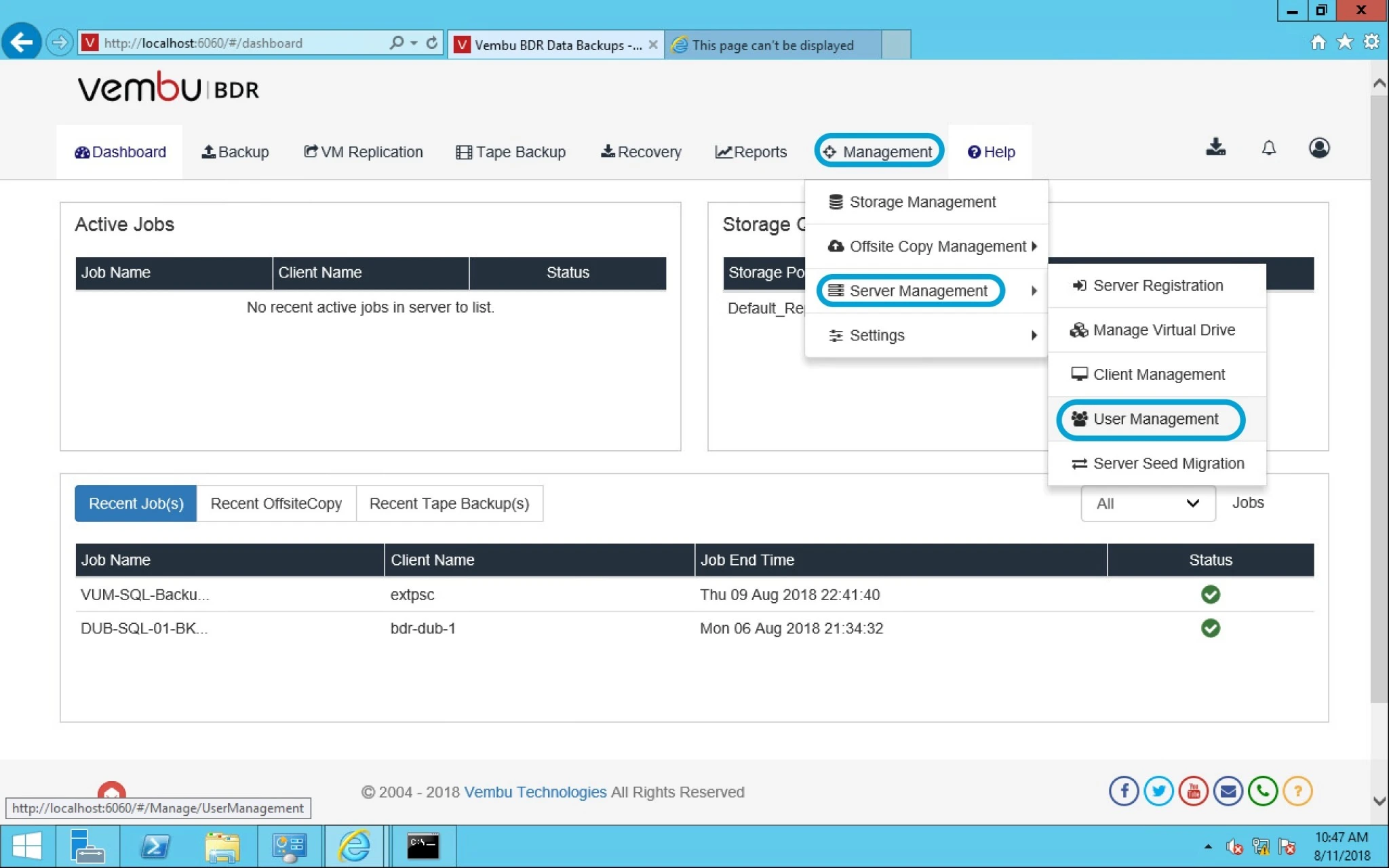
Now Login into Vembu BDR console > Management > under Server management > click on User management.
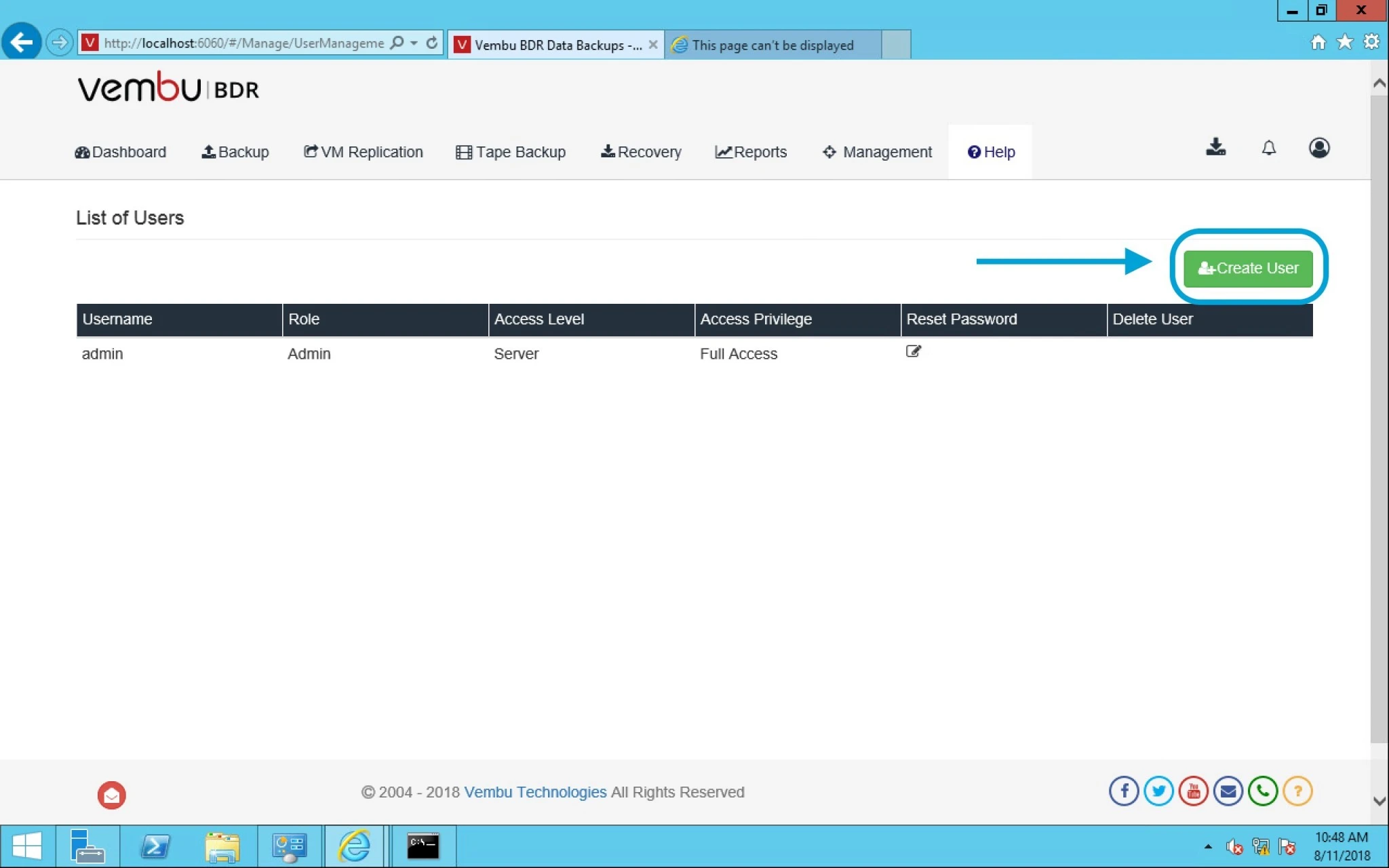
On this page, click on Create user button.
It will prompt you a window with following options given below:
- User name- Provide user name as per requirement.
- Access privilege- Full access or just read only.
- Password- Password for user login
- Confirm Password- Confirm password provided
Finally click on Create user option.

After creation of a user, you can see that user under list of Users along with their access privilege status and the reset password option. From here you can also delete a user.
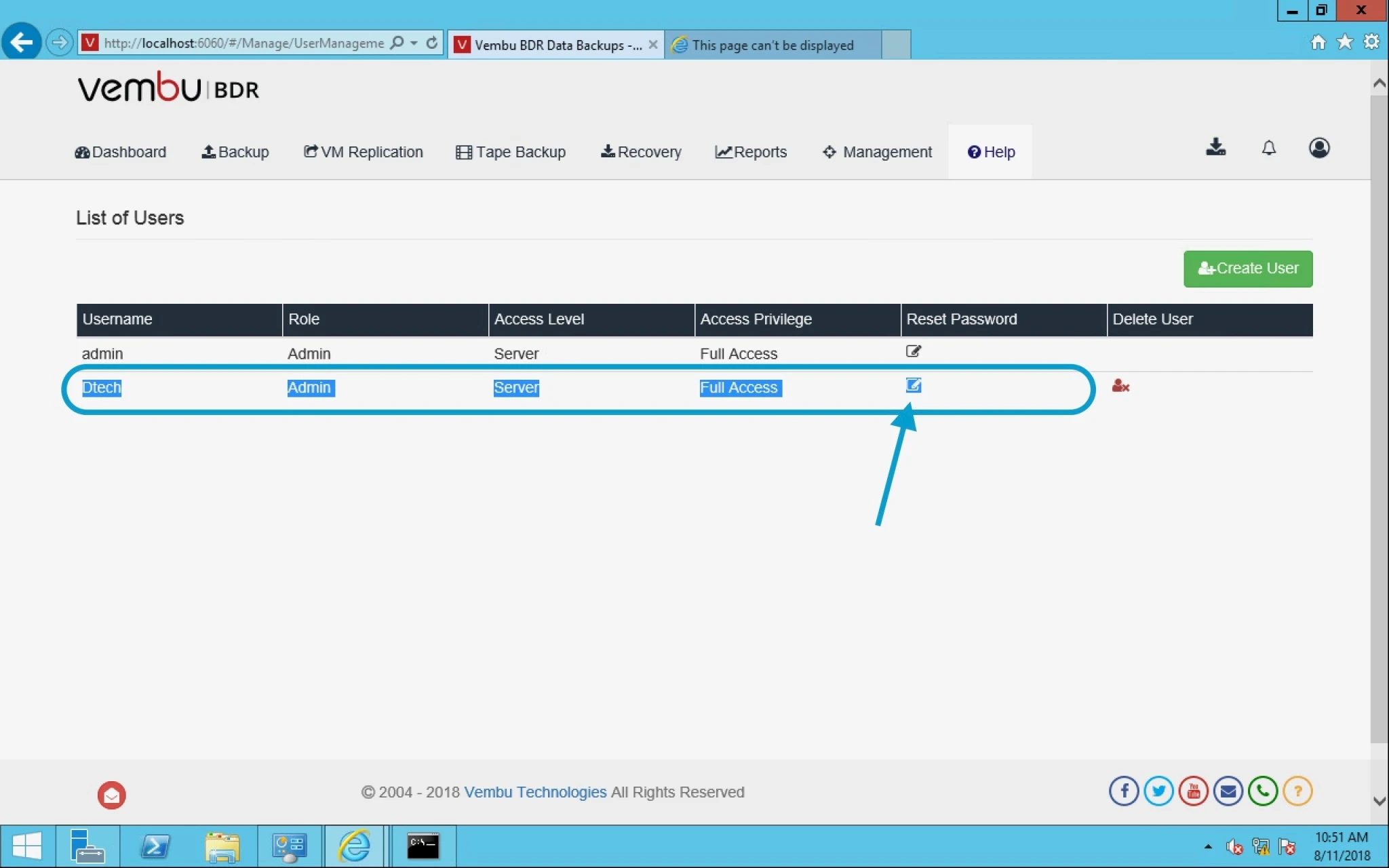
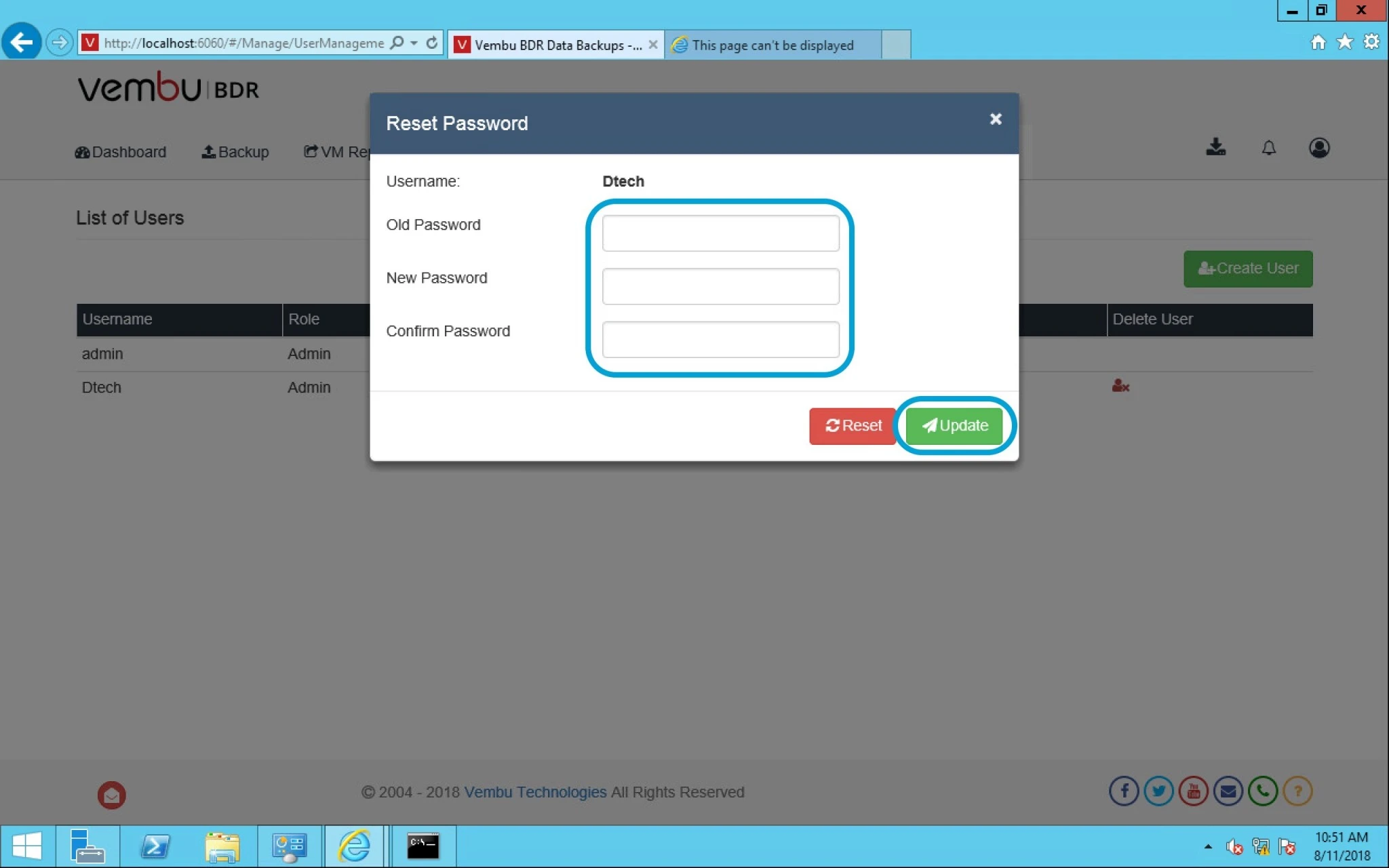
After user creation or in case of a user forgot their password then you can use edit option from lists user and change the password here and click on update.