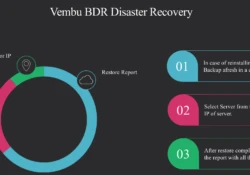
Topic Outline:
 Disaster Recovery
Restore Options
Restore Time
Restore Report
When there is a requirement for a client machine to reinstall a fresh Vembu NetworkBackup, in a case you loose all the configured backup jobs. In such a situation the Disaster recovery solutions is a life saving solution and that allows you to restore client configuration from backup servers.
Lets assume you have a client data which is relocated to another machine where resuming backup jobs will be required.
Note: If the backup job is encrypted or password protected, then the user will be required to provide the secured key or password by editing the backup job before resuming it.
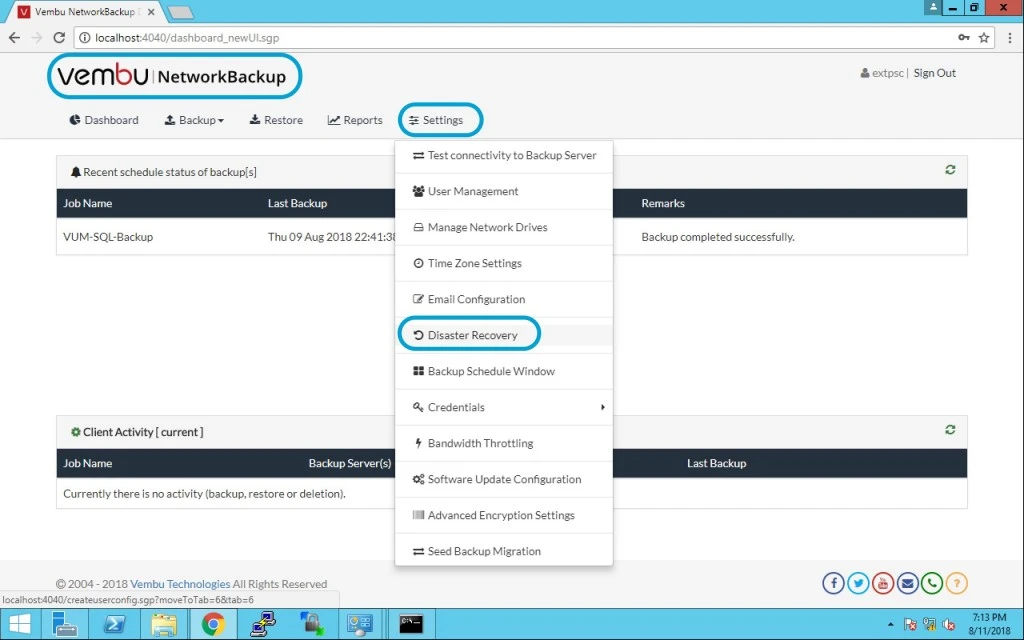
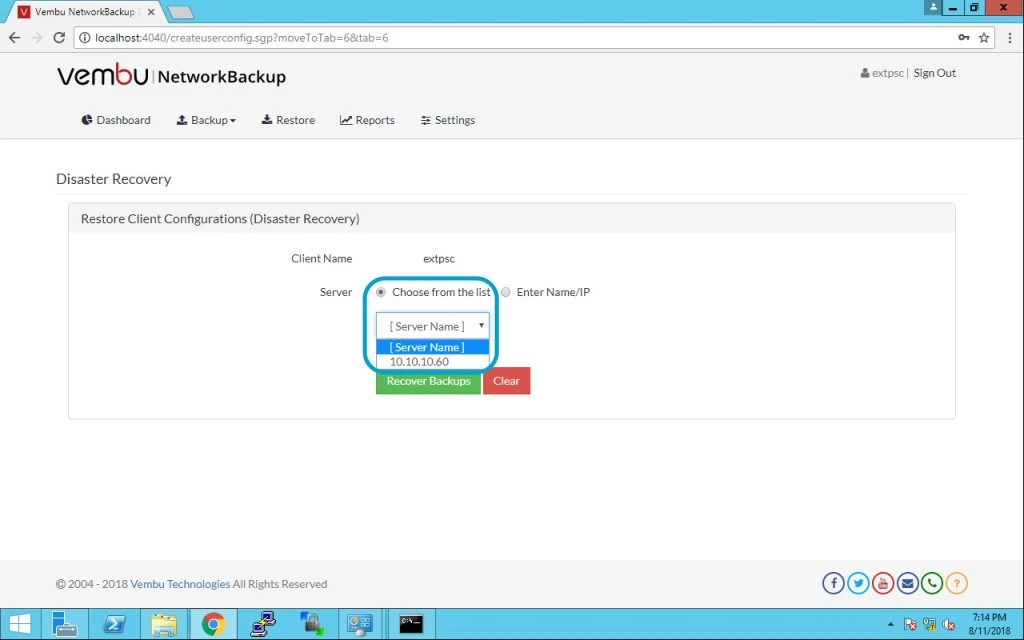
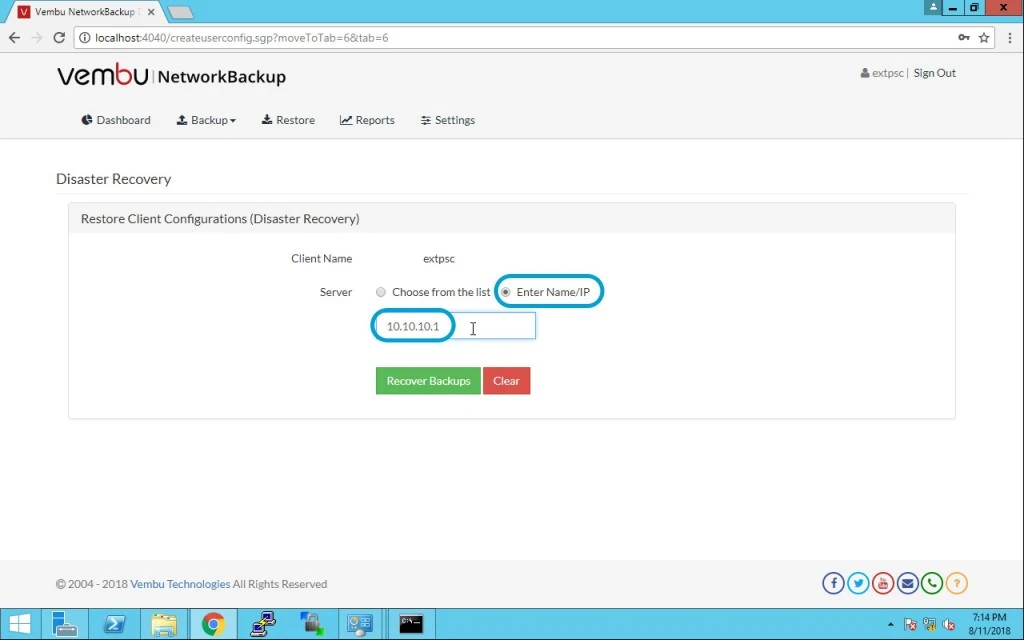
Choose servers
- User can either choose servers from the list of added servers or provide a server IP
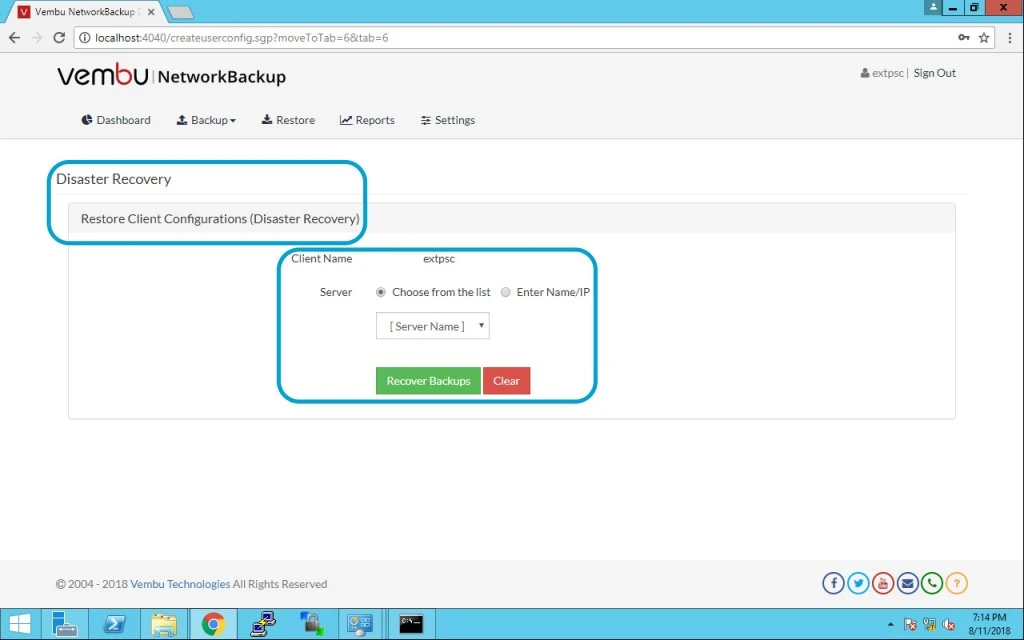
- Note: Before doing this disaster recovery task it should be well tested and functioning perfectly via test connectivity.
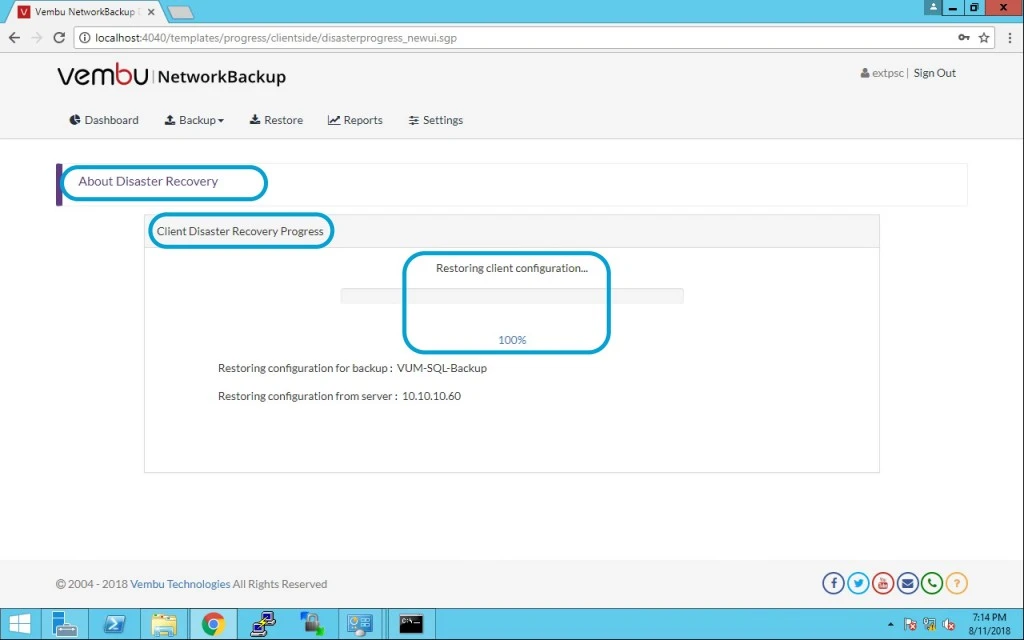
Here you can see the progress and percentage for completion.(Note: In my case this is fast and done in seconds)
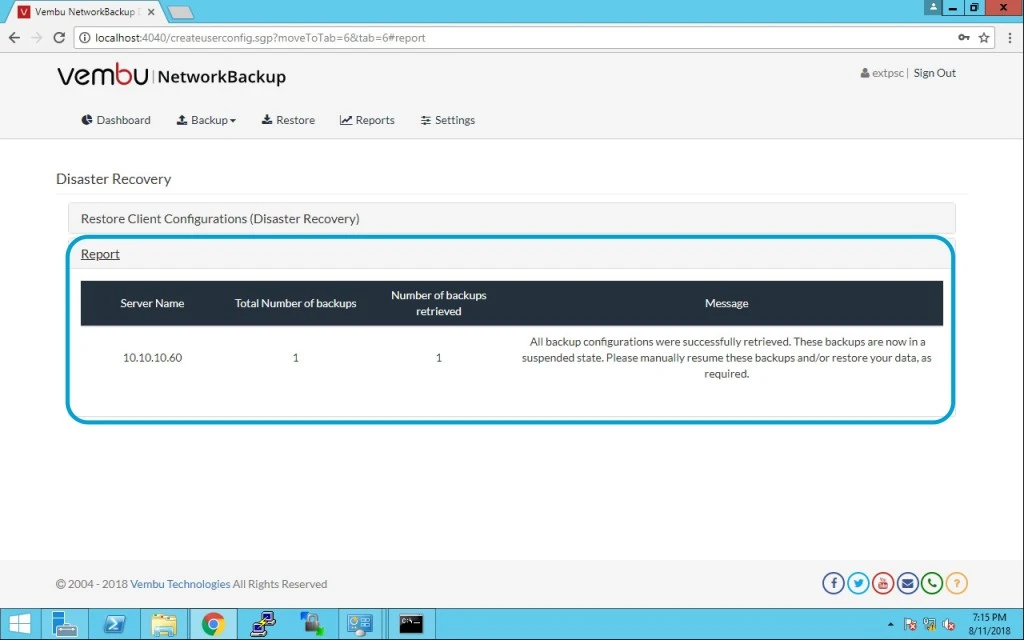
After completion of this restore job you can see below status.
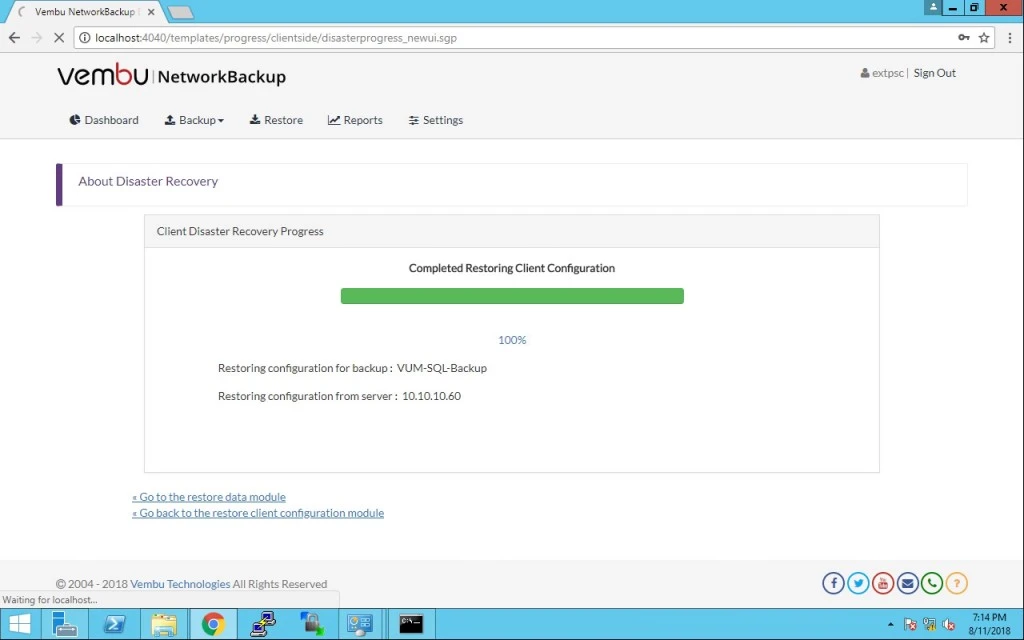
Once restore completes successfully, you will be redirected to reports page with the report for successful restore completion. Here you can see all the reports for disaster recovery.